Artificial Intelligence, zBlog
How to Build an AI Agent Without a Team of ML Engineers
Team Trantor | Updated: April 20, 2026
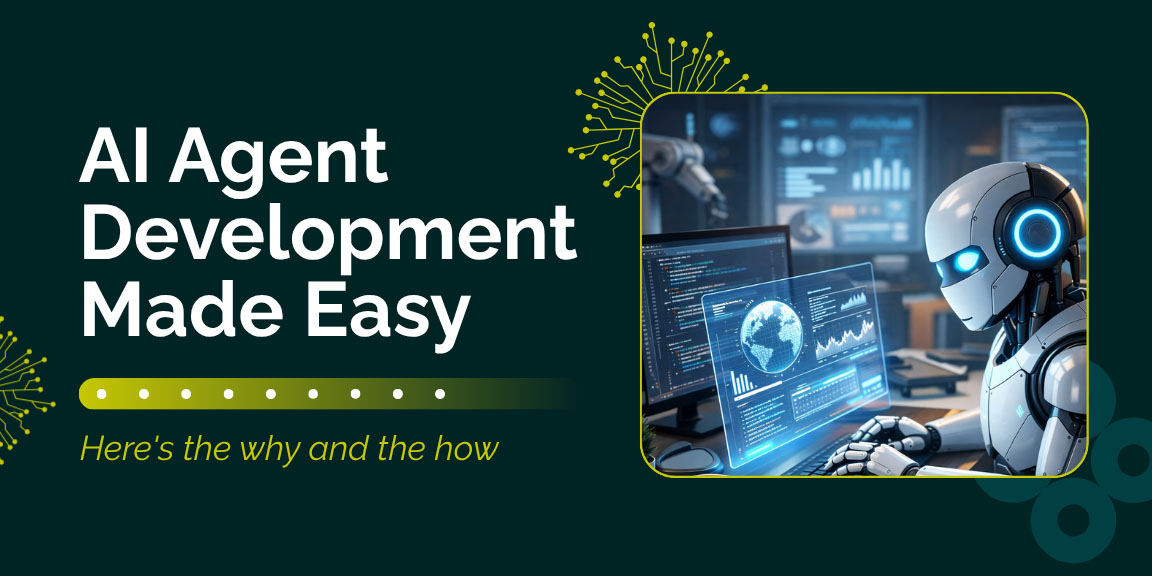
Not long ago, building an AI agent was an expensive, slow, and deeply technical undertaking. You needed data scientists, ML engineers, infrastructure architects, and months of runway just to get a basic proof of concept off the ground. The barrier to entry was real — and it kept most businesses on the sidelines while a handful of well-funded tech teams pulled ahead.
That world is gone.
How to build an AI agent without a team of ML engineers is no longer a niche technical question. It is a mainstream business imperative. The tools, platforms, and frameworks available right now have fundamentally democratized AI agent development. Business analysts, operations managers, marketers, and founders are shipping production-ready AI agents in hours — not months — using visual builders, pre-trained foundation models, and drag-and-drop interfaces that require zero coding experience.
This guide covers everything you need to know: the market reality driving this shift, what an AI agent actually is, the current tool landscape, a seven-step build process any business team can execute, real-world use cases with measurable outcomes, and honest answers to the questions your team will ask before you start.
Why You No Longer Need ML Engineers to Build AI Agents
The numbers tell an unambiguous story.
According to Gartner, 40% of enterprise applications will be integrated with task-specific AI agents by the end of this year, up from less than 5% in 2025. That is an eight-fold increase in a single year — and the bulk of those deployments are not being built by ML engineering teams. They are being built by business operators, product managers, and automation specialists using the new generation of no-code and low-code platforms.
The agentic AI market itself has crossed $10.8 billion, up from $7.8 billion last year, according to MarketsandMarkets. Grand View Research projects the market will exceed $50 billion by 2030 at a CAGR of 45.8%. This growth is not driven by more engineers — it is driven by more accessible tools.
McKinsey’s State of AI research found that 88% of enterprises report regular AI use in their organizations. And yet, the same research found that less than 10% have scaled AI agents in any individual function. The gap between awareness and execution is not a technology problem. It is an access and confidence problem — and that is exactly the problem this guide addresses.
The shift happened when three forces converged simultaneously:
Foundation models matured. Models from Anthropic, OpenAI, and Google became powerful enough that you no longer need to train anything from scratch. You configure them with a prompt, connect them to your data, and deploy.
Visual building platforms scaled up. Platforms like n8n, Zapier, Make, Gumloop, Lindy, and Relevance AI built sophisticated visual interfaces on top of these models. Building a functional agent on most of these platforms now takes between 15 and 60 minutes.
Integration ecosystems exploded. Zapier alone connects to over 8,000 apps. That means your AI agent can talk to your CRM, your inbox, your project management system, your calendar, and your databases — without a single line of integration code.
The result is a fundamental restructuring of who builds AI. As NVIDIA CEO Jensen Huang predicted, companies of the future would employ thousands of AI agents for every human — and the builders of those agents would not be tiny teams of specialized engineers. They would be the domain experts whose work the agents streamline.
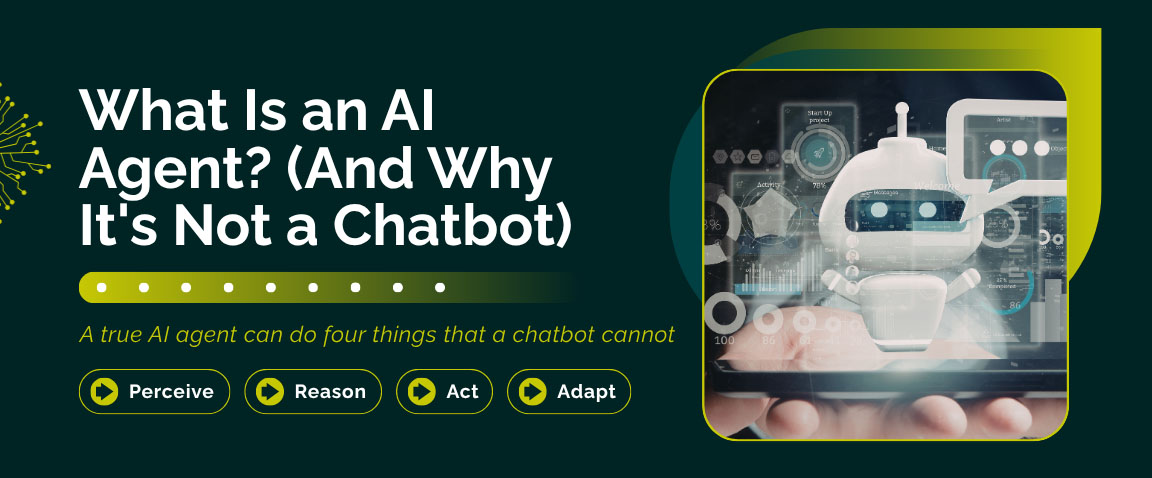
What Is an AI Agent? (And Why It’s Not a Chatbot)
Before you start building, it helps to be precise about what you are actually building — because there is a lot of intentional confusion in the market right now. Gartner has named this problem: they call it “agentwashing” — the practice of rebranding chatbots, RPA systems, or simple AI assistants as agents without adding real agentic capabilities.
A true AI agent can do four things that a chatbot cannot:
Perceive: It monitors and reads its environment — an inbox, a database, a feed, a calendar, a CRM — and detects events that require a response.
Reason: It interprets what it perceives in context, evaluates options, and decides what to do next to reach a goal. It handles ambiguity. It does not just follow rigid rules.
Act: It takes real actions in real systems — sending emails, updating records, calling APIs, triggering workflows, generating documents — autonomously, without being prompted for every step.
Adapt: It learns from outcomes over time, improving its responses based on past interactions and feedback.
The practical difference: a workflow automation sends a confirmation email when someone fills out a form. An AI agent reads an incoming customer complaint, understands the emotional tone, retrieves the customer’s order history, drafts an empathetic resolution, applies a discount within authorized parameters, updates the CRM, and flags the interaction for quality review — all triggered by a single incoming email, with no human involvement until the edge cases that require it.
How to Build an AI Agent Without a Team of ML Engineers: Step-by-Step
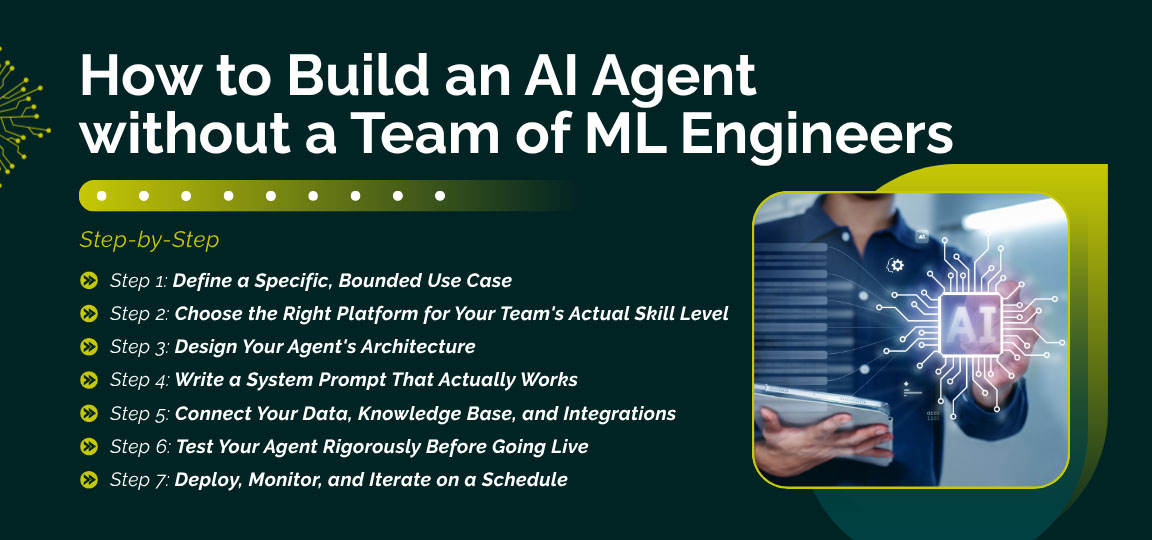
Step 1: Define a Specific, Bounded Use Case
The number one reason AI agent projects fail is over-ambition at the start. Gartner has flagged that more than 40% of agentic AI projects are at risk of failure by 2027 — and the leading cause is poorly defined scope, not technology limitations.
Start narrow. Choose a use case that meets three criteria:
- Repetitive: It happens frequently enough that automation creates real time savings week over week.
- Bounded: The decisions the agent needs to make are limited enough that you can define them clearly in advance.
- Measurable: You can track whether it is working — resolution rate, response time, accuracy score, tasks completed per hour.
Strong use cases to start with: customer support triage and FAQ resolution, lead qualification from inbound forms, internal HR or IT policy Q&A, meeting follow-up and notes summarization, competitive monitoring and alerts, invoice matching and expense flagging in finance.
Avoid as first agents: anything requiring nuanced legal or ethical judgment, highly creative one-of-a-kind outputs, or access to systems where an error carries significant financial or compliance risk.
Before you open any platform, write a one-paragraph description of your use case in plain English. This becomes the foundation of your agent’s system prompt in Step 4.
Step 2: Choose the Right Platform for Your Team’s Actual Skill Level
The platform landscape is now rich, competitive, and fast-moving. The worst mistake is choosing a tool based on hype or peer pressure rather than your team’s actual technical comfort level. Here is an honest breakdown of the leading options by skill tier.
For Non-Technical Teams — Zero Code Required
Zapier Agents — Zapier connects to 8,000+ apps and has evolved well beyond simple automation. Its AI-powered agent builder lets you describe what you want in plain English, and the platform’s AI copilot builds the workflow for you. 69% of Fortune 1000 companies use Zapier. Best for teams that need quick plug-and-play agents across common business tools with minimal setup time.
Lindy — Lindy is purpose-built as a no-code AI agent platform for non-technical teams. It uses a drag-and-drop visual builder with logic blocks, supports over 4,000 integrations, and includes pre-built templates for sales, customer support, and internal operations. It meets SOC 2 and HIPAA standards — important for regulated industries in healthcare and finance.
Gumloop — Gumloop has quickly become a favorite for marketing and operations teams. It includes an AI assistant called Gummie that builds agents from a plain-English description — no drag-and-drop required. It is used by teams at Shopify, Instacart, and Webflow, and supports multiple LLM models without requiring separate API key management. Free plan available, paid plans from $37/month.
Voiceflow — Voiceflow is the leading no-code platform for conversational and voice agents specifically. Over 500,000 teams globally use it for customer support automation, lead generation, and omnichannel experience design. It holds a G2 Best Software Award for Agentic AI and supports 300,000 messages per minute at scale.
Microsoft Copilot Studio — For organizations already running on Microsoft 365, Copilot Studio is the lowest-friction path to deploying AI agents. It uses natural language or visual interface building, integrates natively with Teams, SharePoint, and Power Automate, and supports enterprise-grade governance — without touching a line of code.
For Technically Comfortable Teams — Low-Code
n8n — n8n remains the most powerful low-code option available. It is open-source and self-hostable, supports over 70 AI nodes with native LangChain integration, allows custom JavaScript and Python within workflows, and provides full data sovereignty for sensitive deployments. n8n 2.0 added enterprise-grade security including isolated code execution and granular role-based permissions. Vodafone used n8n to save approximately £2.2 million in operational costs. Best for teams that need maximum control and flexibility without writing full custom code.
Make (formerly Integromat) — Make’s canvas-based visual builder supports advanced branching logic, parallel processing, and data transformations that simpler platforms cannot handle. It has added dedicated AI Agents capability and is used by over 250,000 active businesses. Its free tier includes 1,000 operations monthly. Best for ops teams that need sophisticated multi-step logic at a reasonable cost.
Relevance AI — Relevance AI positions itself as a platform for building AI teammates — agents you configure, train, and onboard like a digital employee. It supports multi-agent orchestration, has a built-in vector database for persistent agent memory, and provides real-time visualization of agent performance. Its Pro plan starts at $19/month. Best for business teams that want depth and customization without writing code.
Botpress — Botpress combines a visual drag-and-drop builder with code-level customization through JavaScript, APIs, and webhooks. It uses a custom inference engine called LLMz to coordinate agent behavior and supports deployment across WhatsApp, Slack, Instagram, and Facebook Messenger. Best for teams building sophisticated multi-step conversational experiences.
For Developer Teams — Code-First Frameworks
LangChain / LangGraph — LangChain is the dominant Python framework for developers building custom AI agents with maximum control over logic, memory, tool use, and orchestration. LangGraph extends this with graph-based multi-agent coordination.
CrewAI — CrewAI enables teams of AI agents with defined roles — researcher, writer, reviewer, executor — that collaborate through structured task handoffs. 40% of Fortune 500 companies now use CrewAI’s agents in some capacity. Best for structured multi-agent workflows with clear role separation.
Google Vertex AI Agent Builder — Google’s cloud-native agent stack offers enterprise scalability with deep Google Workspace and BigQuery integration. It supports low-code building for non-technical users alongside full API access for developers.
Quick Decision Reference
Step 3: Design Your Agent’s Architecture
Regardless of which platform you choose, every AI agent is built on the same structural foundation. Understanding this before you start prevents the most common configuration mistakes.
Trigger — What wakes the agent up? Triggers can be event-based (a new email arrives, a form is submitted, a CRM record is created, a webhook fires) or time-based (run every Monday at 9 AM, check every 15 minutes). Define your trigger precisely before designing anything else.
Context and Memory — What does the agent know when it starts a task? This includes the data from the triggering event, any persistent memory about the user or situation, and any documents or knowledge bases it should consult. This is where Retrieval-Augmented Generation (RAG) comes in — the agent retrieves relevant information from your knowledge base before reasoning about what to do, rather than relying on general training data.
Reasoning Layer — This is the brain. You configure a system prompt that tells the agent who it is, what its goal is, what constraints it operates under, and what information it has available. The LLM — Claude, GPT-4o, Gemini, or whichever you select — processes this and decides what to do next.
Tools and Actions — What can the agent actually do in the world? Sending emails, updating CRM records, querying databases, calling APIs, generating documents, triggering other workflows. Be deliberate about which tools you expose. More capability requires more careful constraint.
Output and Human Handoff — Not every action should be autonomous. Define explicitly which decisions the agent makes alone and which require human review before execution. Human-in-the-loop checkpoints are not a weakness — they are your primary risk management mechanism.
Step 4: Write a System Prompt That Actually Works
If there is one skill that separates agents that perform reliably from agents that go sideways, it is prompt engineering — and it requires no technical background whatsoever.
Your system prompt is the standing instruction set your agent operates from on every single run. Think of it as the job description and operating manual for a new team member. It should clearly define:
Role and Identity: “You are a customer support agent for Acme Corp. Your goal is to resolve customer inquiries about orders, shipping, and returns quickly and accurately.”
Tone and Style: “Always be empathetic, clear, and professional. Acknowledge the customer’s frustration before providing information. Avoid technical jargon.”
Available Information: “You have access to the customer’s complete order history, current shipping status from our logistics API, and our returns policy document.”
Decision Authority and Hard Limits: “You may offer a replacement order or store credit up to $75 without escalation. Do not make commitments about refunds above this threshold. Do not discuss pricing disputes — route these to the billing team with a clear summary.”
Edge Case Protocol: “If you cannot resolve the customer’s issue with the information and tools available to you, transfer the conversation to a human agent with a concise summary of the situation, what you attempted, and what the customer needs.”
Three principles that make the difference between a good prompt and a great one:
Be specific, not aspirational. “Be helpful” is useless instruction. “Acknowledge the customer by name, confirm you understand their specific issue in one sentence, then provide the next concrete step” is actionable.
Define what the agent should NOT do as carefully as what it should. Constraints prevent off-script behavior faster than anything else.
Test for edge cases before launch. What happens when the customer is abusive? When the needed information is unavailable? When the request is outside scope? Account for these explicitly in your prompt.
Step 5: Connect Your Data, Knowledge Base, and Integrations
An AI agent without access to your actual business data is just a general-purpose chatbot. The power comes from grounding the agent in your specific systems, policies, and history.
Knowledge Base Setup (RAG) — Upload the documents your agent should know: FAQs, product catalogs, pricing sheets, HR policies, compliance documents, SOPs, training materials. Most no-code platforms now include a built-in RAG interface where you can upload files directly or connect to Google Drive, Notion, Confluence, or SharePoint. The agent retrieves relevant chunks from these documents before responding, keeping its answers grounded in your actual information.
Live System Integrations — Connect your agent to the systems it needs to act in: your CRM (Salesforce, HubSpot), your helpdesk (Zendesk, Intercom), your calendar (Google Calendar, Outlook), your communication tools (Slack, Teams), your databases. On no-code platforms, these are typically OAuth connections that take a couple of minutes to configure.
API Connections for Custom Systems — If you have proprietary internal tools or legacy systems without native integrations, platforms like n8n and Make let you make direct HTTP requests to any API endpoint. This means almost any internal system is reachable — it just requires slightly more technical setup.
A Note on Data Privacy — With AI agent data privacy regulation tightening, this is a genuine consideration. For sensitive customer data, healthcare information, or financial records, use self-hosted platforms (n8n Community Edition, Flowise open-source) to keep data on your own infrastructure, or prioritize platforms with relevant certifications such as Lindy for HIPAA and Stack AI for SOC 2 on-premises deployment. IBM Watsonx Assistant remains the strongest enterprise choice for regulated sectors, with built-in audit trails, role-based access, and pre-trained industry-specific intents.
Step 6: Test Your Agent Rigorously Before Going Live
Testing an AI agent is different from testing traditional software. You are evaluating behavior under ambiguity, not just checking that functions return the right values.
Scripted Scenario Testing — Before launch, write out 20 to 30 representative scenarios covering the full range of situations your agent will encounter — easy resolutions, difficult edge cases, out-of-scope requests, emotionally charged inputs, and adversarial attempts to push the agent past its constraints. Run through each and evaluate the response against what a skilled human would do.
Adversarial Testing — Try to break your agent. Ask it things it should not answer. Provide incomplete or contradictory information. Push it toward commitments it is not authorized to make. Try to get it to bypass constraints through creative rephrasing. This surfaces prompt gaps that normal testing misses entirely.
Performance Metric Baselining — Define your success metrics before launch. What does “working” look like in measurable terms? Resolution rate without escalation? Response accuracy vs. a gold-standard answer set? Average handle time? Establish a baseline from your human team so you have a real comparison point.
Log Analysis — Every major platform provides detailed run logs showing what the agent perceived, retrieved, reasoned, and did. Review these exhaustively during testing. Patterns in wrong outputs point directly to what needs fixing — prompt clarity, knowledge base gaps, or missing tool access.
Step 7: Deploy, Monitor, and Iterate on a Schedule
Deployment is not the endpoint. It is the beginning of a feedback loop that makes your agent meaningfully better over time.
Start with a Controlled Rollout — For your first agent, handle 10–20% of relevant interactions through the agent while humans manage the rest. Run this parallel operation for two to four weeks. Compare outcomes, gather feedback from the team reviewing agent outputs, and identify failure patterns before expanding to full deployment.
Build a Monitoring Dashboard — Track your pre-defined KPIs weekly. Look for patterns in escalations — they reveal precisely where your agent’s confidence exceeds its reliability, and those become your highest-priority improvement items.
Establish an Iteration Cadence — The best-performing AI agents are treated like software products — they get better on a regular schedule. Build a weekly or biweekly review cycle into your operations: review logs, collect feedback, update the system prompt, expand the knowledge base, and verify that changes improve metrics before moving on.
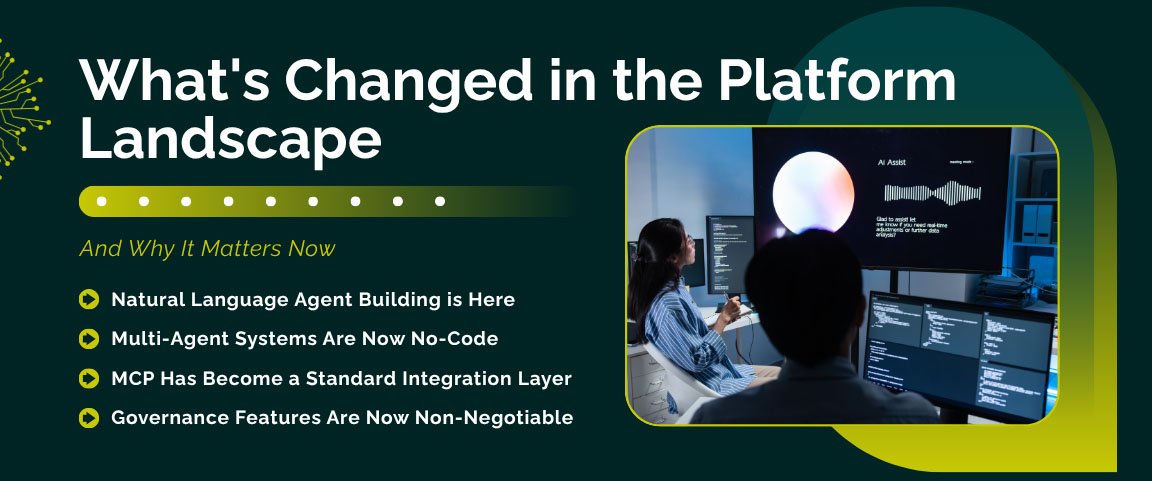
What’s Changed in the Platform Landscape — And Why It Matters Now
The tooling ecosystem has moved fast over the past year. A few developments meaningfully change the calculus for teams building agents without ML engineers.
Natural Language Agent Building is Here. Several platforms now let you describe your agent in a paragraph and have the platform scaffold the workflow structure for you — Gumloop’s Gummie assistant, Vellum’s prompt-based builder, and n8n’s AI copilot all do this. Time-to-first-agent has compressed from hours to minutes for many standard use cases.
Multi-Agent Systems Are Now No-Code. Multi-agent coordination — where one agent handles research, another handles drafting, and a third handles review — was a developer-only capability until recently. Lindy, Relevance AI, and Make now support multi-agent orchestration through visual builders. You can design agent teams with defined roles and handoffs without writing any code.
MCP Has Become a Standard Integration Layer. Anthropic’s Model Context Protocol, which gained broad adoption through 2025, has become a standard way for AI agents to connect to external tools and data sources. Zapier has announced MCP support, and n8n fully supports it. This significantly simplifies how you connect agents to business systems without custom integration work.
Governance Features Are Now Non-Negotiable. Gartner and Deloitte both flag governance as the primary constraint on scaling agentic AI in the enterprise. Deloitte’s research found that only 1 in 5 companies has a mature governance model for autonomous AI agents. As a result, leading platforms have added built-in guardrails: approval gates before high-risk actions, audit logs, role-based access controls, LLM usage budget caps, and anomaly detection. When evaluating platforms, governance features are table stakes — not premium add-ons.
Real-World Use Cases: What’s Delivering ROI Right Now
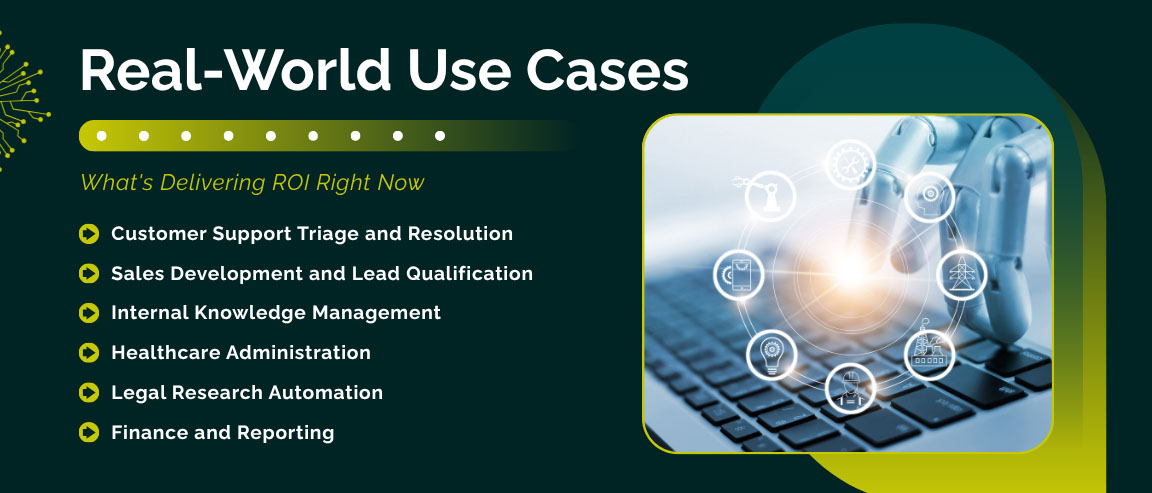
Customer Support Triage and Resolution. The most proven use case across industries. Companies using AI agents for first-line customer support report significant reductions in ticket volume for routine queries and measurable improvement in first-contact resolution. A European bank documented by McKinsey showed a generative AI support agent that became approximately 20% more effective within seven weeks compared to its previous rules-based system. AI-driven automation is expected to reduce customer service costs by 25% across industries by 2028, per Gartner.
Sales Development and Lead Qualification. Sales teams are using Relevance AI, Gumloop, and Zapier to build agents that score and qualify inbound leads, personalize outreach sequences based on firmographic data, update CRM records automatically, and generate meeting briefs before calls. Companies implementing AI-driven sales processes report a 10% to 20% boost in sales ROI, according to McKinsey.
Internal Knowledge Management. Enterprise teams are building internal Q&A agents that give employees instant answers from HR policies, IT runbooks, compliance documents, and product documentation — eliminating the routine “can you send me the policy on X” requests that consume manager time daily. This consistently delivers the fastest time-to-ROI because the data already exists and deployment complexity is low.
Healthcare Administration. AtlantiCare in Atlantic City deployed an agentic AI clinical assistant focused on documentation support. Among 50 providers who tested it, the organization saw an 80% adoption rate. Those using the agent experienced a 42% reduction in documentation time — saving approximately 66 minutes per day per provider — achieved without an ML engineering team.
Legal Research Automation. BakerHostetler, an American law firm, adopted an AI-powered legal research agent. The tool reduced research-related hours by 60%, decreased time spent on case searches, and improved accuracy — allowing attorneys to redirect that time to client-facing strategic work.
Finance and Reporting. Finance teams are deploying agents that pull data from multiple ERP and accounting systems, reconcile figures, flag anomalies, and assemble draft reports. IBM research shows that organizations with higher AI investment in operations report revenue growth 61% greater than their peers.
The Skills You Actually Need — None of Them Are Technical
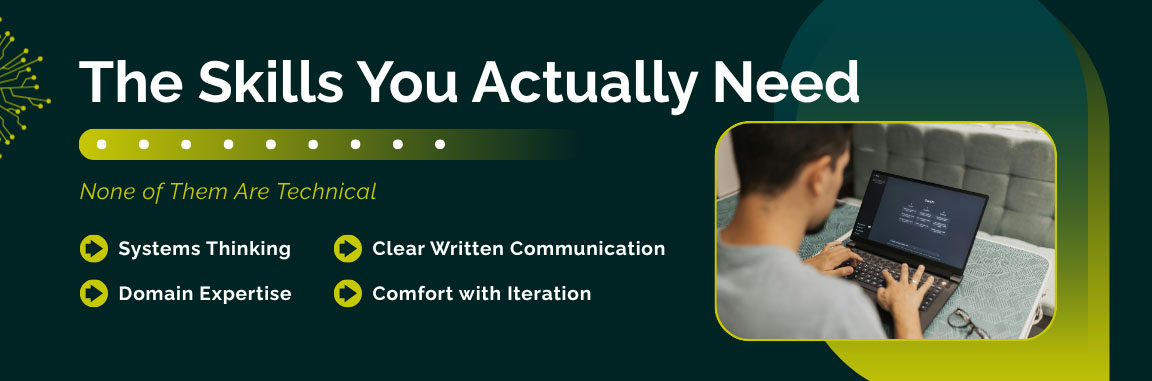
The most important competencies for building effective AI agents are not technical. They are:
Systems thinking. Can you map a workflow? Can you identify decision points, edge cases, failure modes, and handoff conditions? This is more valuable than Python proficiency.
Clear written communication. Your system prompt is your agent’s brain. The ability to write precise, unambiguous, conditional instructions in plain English is the core skill. If you have ever written a detailed process document or a clear policy brief, you already have this.
Domain expertise. The best agent builders are the people who understand the problem deeply. A customer service manager who has handled 10,000 tickets knows what the agent needs to handle better than any ML engineer who has never worked a support queue.
Comfort with iteration. AI agents are not set-and-forget deployments. You need the mindset of a product manager: ship a v1, measure it, learn from it, ship a better v2. The teams winning with AI agents treat them as living products, not one-time implementations.
Common Mistakes That Kill Agent Projects Before They Start
Starting too broad. The fastest path to a failed project is trying to build something that handles every scenario from day one. Start with the 80% case, get it working reliably, then expand scope deliberately.
Neglecting the data foundation. An agent is only as good as the information it can access. If your knowledge base is incomplete, outdated, or poorly organized, your agent will reflect that. Invest time in organizing your source documents before building.
Removing human oversight too early. The desire to go fully autonomous is understandable, but the data is consistent: teams that maintain human-in-the-loop controls on high-stakes decisions see significantly higher deployment success rates. Build in approval gates for consequential actions until confidence in the agent’s judgment is well-established.
Not defining success before you build. If you do not know what “working” looks like before you deploy, you will not know whether your agent is succeeding, failing, or just producing mediocre outputs at scale.
Falling for “agentwashing.” Many vendors are relabeling existing chatbots and RPA tools as AI agents. Before selecting a platform, verify that it genuinely supports autonomous multi-step reasoning — not just rule-based response trees dressed up with an AI label.
Frequently Asked Questions
Q: Do I really need zero technical knowledge to build an AI agent?
Very close to zero on the right platforms. Zapier, Lindy, Gumloop, Voiceflow, and Copilot Studio require no coding. You need the ability to think through a workflow, write clear instructions, and evaluate outputs — skills most business users already have. For n8n or Make, basic familiarity with workflows and APIs helps. For LangChain or CrewAI, Python proficiency is necessary.
Q: What’s the difference between an AI agent and a chatbot?
A chatbot responds within a defined conversation flow. An AI agent perceives events in its environment, reasons about goals across multiple steps, takes real actions in external systems, and operates autonomously without being prompted for each step. Gartner calls the practice of labeling chatbots as agents “agentwashing” — a genuine issue in today’s market. A real agent can handle a multi-step resolution across five different systems without any human prompting after the initial trigger.
Q: How much does it cost to build and run an AI agent?
Platform costs range from free (Flowise open-source, n8n self-hosted) to $19–$59/month for mid-tier plans on Relevance AI, Make, and Lindy, to enterprise pricing for IBM Watsonx or Stack AI. On top of platform costs, you pay for LLM API usage based on tokens consumed. For most small to mid-sized deployments, total monthly costs fall in the $50–$200 range. Enterprise deployments with high volume usage scale from there.
Q: How long does it take to build a working AI agent?
On no-code platforms like Lindy or Gumloop, a basic agent can be live in 15 to 60 minutes. A production-ready agent with proper knowledge base setup, testing, and monitoring typically takes one to two weeks of part-time effort. Complex multi-agent systems take four to eight weeks depending on integration complexity.
Q: How do I prevent my AI agent from making expensive mistakes?
Design human-in-the-loop approval gates for consequential actions before the agent is authorized to take them autonomously. Define clear decision boundaries in your system prompt. Use the budget limits and rate limits available on most platforms to cap LLM spending per run. Review logs regularly during the first weeks of deployment. Treat mistakes as data, not disasters — they reveal exactly what needs tightening in your configuration.
Q: Can I build a multi-agent system without a developer team?
Yes. Lindy, Relevance AI, and Make all support multi-agent orchestration through visual builders. You can design workflows where one agent handles research, another handles drafting, and a third handles review — with defined handoff logic between them — entirely through drag-and-drop configuration.
Q: Is my business data safe when using these platforms?
It depends on your platform and configuration. For sensitive customer data, healthcare information, or financial records, use self-hosted options (n8n Community Edition, Flowise) or platforms with strong compliance certifications. Always review the platform’s data processing agreements before connecting sensitive data. IBM Watsonx and Stack AI offer the strongest enterprise compliance posture for regulated industries.
Q: What are the best first AI agent use cases?
The highest-ROI first agents handle repetitive, bounded, measurable workflows: customer support FAQ resolution, inbound lead qualification, internal HR and IT policy Q&A, meeting follow-up and summary generation, and finance anomaly flagging. These have proven ROI track records, manageable risk profiles, and clear success metrics — making them ideal for building organizational confidence before expanding scope.
The Business Case for Moving Now
The case for acting now is not just about competitive advantage — it is about avoiding a compounding disadvantage.
Gartner projects that by 2028 at least 15% of day-to-day work decisions will be made autonomously through agentic AI, up from essentially zero in 2024. IDC projects that AI investments will reach $1.3 trillion by 2029, growing at 31.9% year-over-year. The global AI automation market already exceeds $169 billion today, growing at a 31.4% CAGR.
The organizations succeeding with AI agents share a common trait identified by McKinsey: they treat AI as a catalyst for organizational transformation, not a tool layered onto existing workflows. McKinsey’s AI high performers — the 6% of organizations where more than 5% of EBIT is attributable to AI — are three times more advanced in agent deployment than their peers and consistently invest more than 20% of digital budgets in AI.
IBM’s research found that companies realize an average return of $3.50 for every $1 invested in AI. But only 25% of AI initiatives have delivered expected ROI, per IBM’s CEO Study of 2,000 global CEOs. The difference between those that succeed and those that don’t is not the technology — it is how deliberately and measurably the technology is applied.
The tools are ready. The data is clear. The question is whether your organization moves strategically or reactively.
Conclusion: You Don’t Need ML Engineers — You Need the Right Partner
The barrier to building powerful AI agents today is not technical expertise. It is strategy, clarity, and execution. The platforms exist. The models are capable. The use cases are proven. Businesses across every industry are deploying agents without ML teams — and they are seeing real, measurable results.
But knowing which tools to choose, how to design the right architecture for your specific workflows, how to govern agents responsibly, and how to scale from a first agent to an enterprise-wide deployment — that is where having an experienced partner makes all the difference.
At Trantor, we have been at the forefront of AI-powered enterprise transformation, helping organizations move from “we are thinking about AI agents” to “we have AI agents running in production.” We understand that the real challenge is not the technology itself — it is aligning it precisely to your business workflows, your data infrastructure, your compliance requirements, and your team’s capabilities.
Whether you are a marketing team ready to automate content and campaign operations, a customer service organization looking to deploy your first resolution agent, or an enterprise ready to build a coordinated multi-agent ecosystem across departments — we bring the strategic clarity, the platform expertise, and the execution experience to build it right.
The tools are ready. The opportunity is measurable. Let’s build something that performs.